Hello my name is Miftah, lately I am learning the python programming languange, this blog used for documentation for myself and hopefully useful for others, let’s get to the core of material.
1. Rectangle Formula
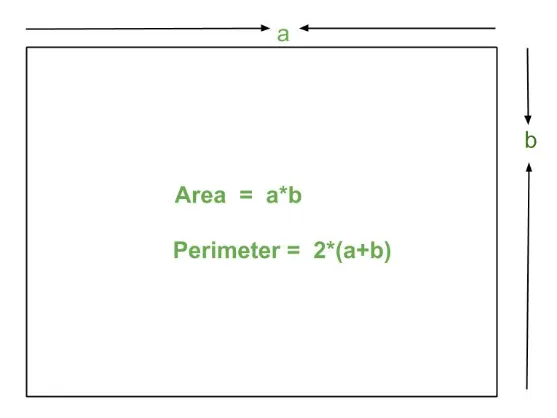
To code the program, we first need to know the formulas of the area and perimeter of a rectangle, as shown in the picture above :
- Area = length x width
- Perimeter = 2 x (length + width)
With this information, we can proceed to the next step.
2. Creation of Program Code
I want to apply the knowledge about functions that I just learned to the program code this time, and I will explain it line of code program.
# Calculate the Area and Perimeter of a Rectangle
"""
REQUIRMENT :
Area = length x width
Perimeter = 2 x (length + width)
"""
# Imports Python's built-in module called os.
# The os module provides functions to interact with the operating system (OS)
import os
# Header : Function as the header of the program
def header():
    print(50*"=")
    print(" Calculate the Area and Perimeter ".center(50))
    print(" of a Rectangle ".center(50))
    print(50*"=")
# Input user : Function to recieve input from the user
def input_user():
    length = int(input("Input Length : "))
    width = int(input("Masukan Width : "))
    return length, width
# Rectangle Area : Function to calculate the area of a rectangle
def area_rectangle(length, width):
    area = length * width
    return area
# keliling persegi panjang : Function to calculate the perimeter of a rectangle
def perimeter_rectangle(length, width):
    perimeter = 2 * (length + width)
    return perimeter
# display results
def display_results(area, perimeter):
    print(f"Area of Rectangle = {area}")
    print(f"Perimeter of Rectangle = {perimeter}")
# While Loop : Function that will continue to run if user want to continue calculating
while True:
    # Function to clear all text on the terminal screen (clear screen)
    os.system('clear')
    # Call the header function that was created
    header()
    # Holds the length and width results of the input_user() function
    LENGTH, WIDTH = input_user()
    print("-"*50)
    # Store the calculation result in the area_rectangle() function
    AREA = area_rectangle(LENGTH, WIDTH)
    # Store the calculation result in the perimeter_rectangle() function
    PERIMETER = perimeter_rectangle(LENGTH, WIDTH)
    # Call the display results
    display_results(AREA, PERIMETER)
    # Does the user want to continue calculating ?
    isContinue = input("\nContinue to calculate ? (y/n) = ").lower()
    # If input 'n', program will stop
    if isContinue == 'n':
        break
# Last message
print("Thankyou !!!")
- Running Program Code
Previously, we have successfully created a program code to calculate the area and perimeter of a rectangle, now let’s try together the program code
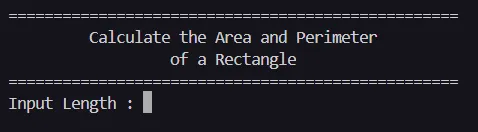
Open a terminal and navigate to the folder where the program files are stored, and running the file :

Input the length and width of a rectangular square, and this is the result :
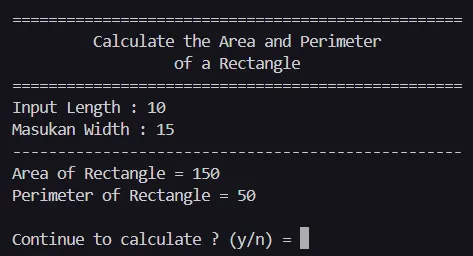
If we want to continue calculate, program will repeat :
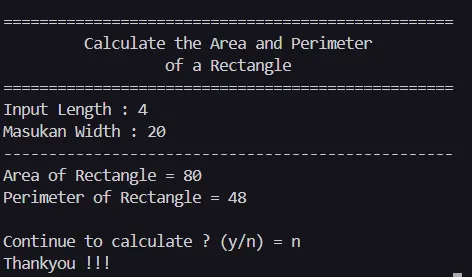
If we dont continue the calculate, program will stop :
With this we have successfully created a program to calculate the area and perimeter of a rectangle in python, hopefully this helps you, keep learning !!!!